Meteor
Instructions:
Finger on Mobile Mouse on ComputerDescription
How To Play Meteor
How To Play
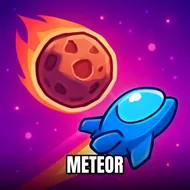
You're stuck behind the controls of a lone spaceship, and the sky won't stop throwing rocks at you. On a computer you just point the mouse where you want to aim and click to fire, while on a phone or tablet it's all about tapping and dragging with your finger. Nothing fancy, nothing hidden behind menus. The moment you load in, meteors start falling, and your job is simple to explain but genuinely tricky to master: shoot them before they hit dirt. Miss too many and the planet takes the damage, not you, which somehow makes every close call feel worse.
There's no dialogue, no cutscenes, no lore dump explaining why chunks of space rock are suddenly obsessed with wrecking Earth. It doesn't need any of that. The atmosphere is pure old-school arcade tension, dark starry backdrop, streaks of light hurtling toward the ground, and that little knot of panic when three meteors converge on the same spot at once. It scratches an itch that goes back decades, the same one that made Asteroids addictive back in the day, just dressed up with cleaner visuals and instant browser access.
Standout Features
- Controls stay dead simple, mouse aiming on desktop, finger dragging on mobile, so there's basically zero learning curve.
- Meteors come in waves that ramp up steadily, forcing you to prioritize threats instead of just spraying shots everywhere.
- The spaceship feels responsive, no weird lag between clicking and firing, which matters a lot once the screen gets crowded.
- Survival is the whole point, no side quests or currency systems distracting from the core shooting loop.
- Short rounds make it easy to jump in for five minutes or stay for way longer than planned, chasing one more wave.
- Visual feedback on hits is satisfying enough that landing a shot on a fast-moving rock actually feels rewarding.